Readable internal names
Instead of typing an address such as 10.0.20.15, a permitted user could open a name like printer.office.example. We plan the naming, ownership and access rules before putting them into service.

NETWORKS / NAMES / CLEAR BOUNDARIES
Your team should not need a list of IP addresses to find a printer or internal application. A tailored network plan can give devices useful names, keep guest traffic separate and make problems easier to see.
Talk through my networkA design conversation comes first. The hardware, hosting, access and operating costs depend on your actual environment.
What it looks like
See the path. Shape the traffic.
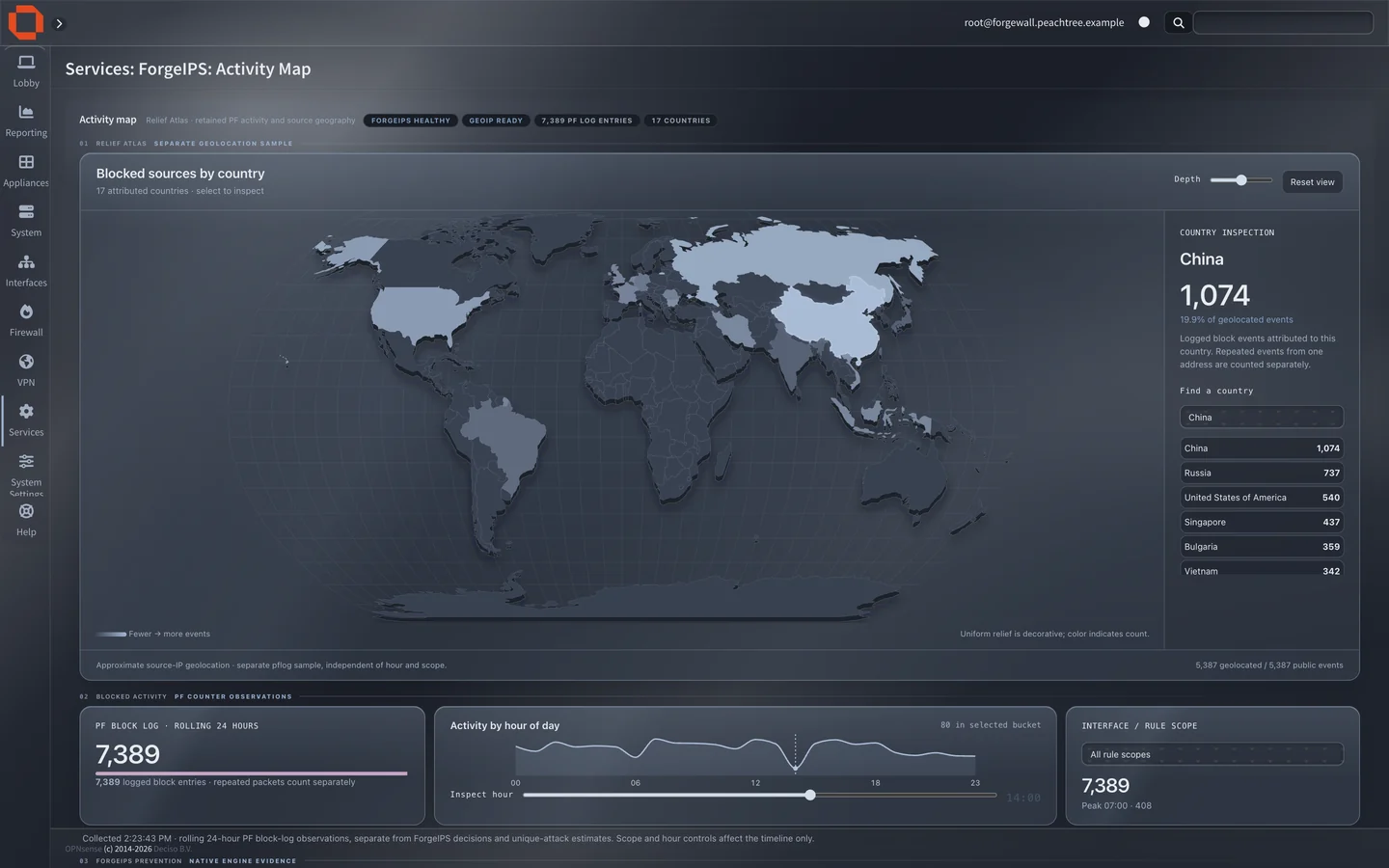
Sample screens · fictional data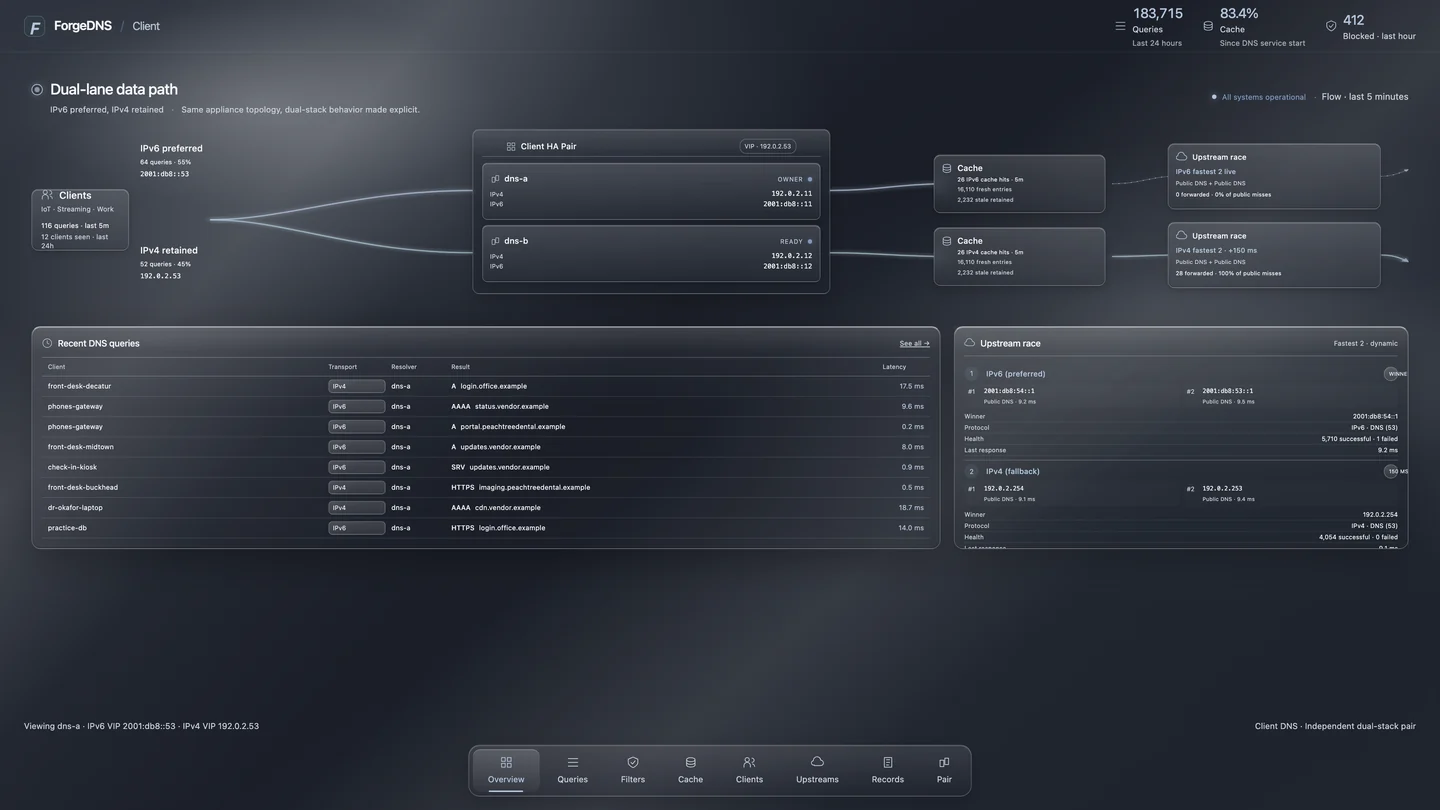
CUSTOM DNS, IN PLAIN LANGUAGE
Instead of typing an address such as 10.0.20.15, a permitted user could open a name like printer.office.example. We plan the naming, ownership and access rules before putting them into service.
A and AAAA records point names to IPv4 and IPv6 addresses; CNAME aliases give a service another name; TXT can carry verification and mail policy; PTR supports reverse lookups. The records you need depend on the systems you actually run.
DNS filtering may block known ad, tracking or malicious domains before a device connects. It cannot remove every ad, inspect all encrypted content or guarantee faster browsing. Rules need testing so business tools keep working.
Charts can show request volume, common domains, blocked requests and resolver health. We agree on what to log, who may see it and how long to retain it before collecting business-network activity.
DNS IS NOT A PROXY
Selected devices send outbound requests through a policy point. That may help control destinations or document egress where supported, but requires explicit client and privacy design. It is not what makes a short internal name resolve.
A reverse proxy gives approved users one protected entrance to internal web applications, with routing and certificates planned for each service. DNS supplies the name; the proxy handles the web connection. Access still needs authentication and network rules.
BEHIND THE SCENES / RIGHT IN YOUR EVERYDAY
You don’t need to know the terminology to know what would help. Here’s what custom networks, DNS and proxy systems could do for your business. We run your DNS and curate your blocklist. Want something else kept off your network? Block whatever your business wants — we’ll help you set it up.
Block known advertising, tracking and malicious domains for devices using the configured DNS. Add approved exceptions when a business tool needs one.
A local cache can reuse recent answers instead of looking them up again. We test the result on your network; DNS speed is only one part of page loading.
Explore lookup trends, allowed and blocked requests, and cache behavior. Agree who can see the logs and how long they are kept.
Internal and public records are scoped separately. Mail-routing (MX) and service-discovery (SRV) requirements can be included with a compatible DNS implementation; the systems using them are checked as part of the project.
FIREWALLS, PROXIES AND HOSTING
Firewall rules and segmented networks, so guests stay separate and office devices share approved business resources.
Friendly DNS names paired with a reverse proxy that sends each web request to the right application.
/bookingsAppointment app/documentsDocument portal/reportsBusiness dashboardA service company could give staff one memorable portal for appointments, documents and reports. DNS finds the front door; the reverse proxy takes each request to the configured app. The apps still handle their own permissions unless a separate sign-in system is included.
We check application compatibility, certificates and private or public access before publishing a route. Adding a proxy does not automatically expose your internal systems to the internet.
A forward proxy can be scoped for permitted destinations, access rules and connection logs — for example, a shared workstation that should reach only approved business services.
Discuss outbound access controlsThen configure, test and document the system. Equipment, setup and ongoing services are itemized.
Talk through my setupSample names use the reserved .example domain. DNS filtering targets domains; some in-app and first-party ads will remain, and it does not replace device security. Adding a proxy does not automatically expose your internal systems to the internet.
A SCOPE YOU CAN VERIFY
A network proposal should identify what each team and device can reach, how DNS behaves during an outage, what happens when a firewall rule blocks traffic, which logs and graphs are visible, and how the configuration is backed up and handed over. Cloud and on-site options can be considered; a customer does not need to own a hypervisor before starting the conversation.
UrbanBytez is qualifying U.S. requests, with Atlanta, Dallas and Houston as initial marketing markets. We assess each site, staffing and support need before proposing remote or on-site work. We do not claim a walk-in office or fixed shipping time in those cities.
A simple question is welcome at sales@urbanbytezllc.com. Do not send passwords, keys or sensitive customer information.