Site Care
$199/ site / month
- Firewall and internet monitoring with alerts
- Monthly update window, configuration backups
- Firewall, DNS filtering and staff VPN changes · 1 hour a month
- Quarterly written review
AI receptionist · first month free
An AI receptionist for property managers, funeral homes and the trades. Plans from $149 a month.
It answers in your business’s name, sends emergencies straight to whoever is on call, and emails you a summary of every call. Hear it on your own business before you pay: call the demo.
Card on file, $0 today · Cancel online any time · Also: the $295 remote assessment, below
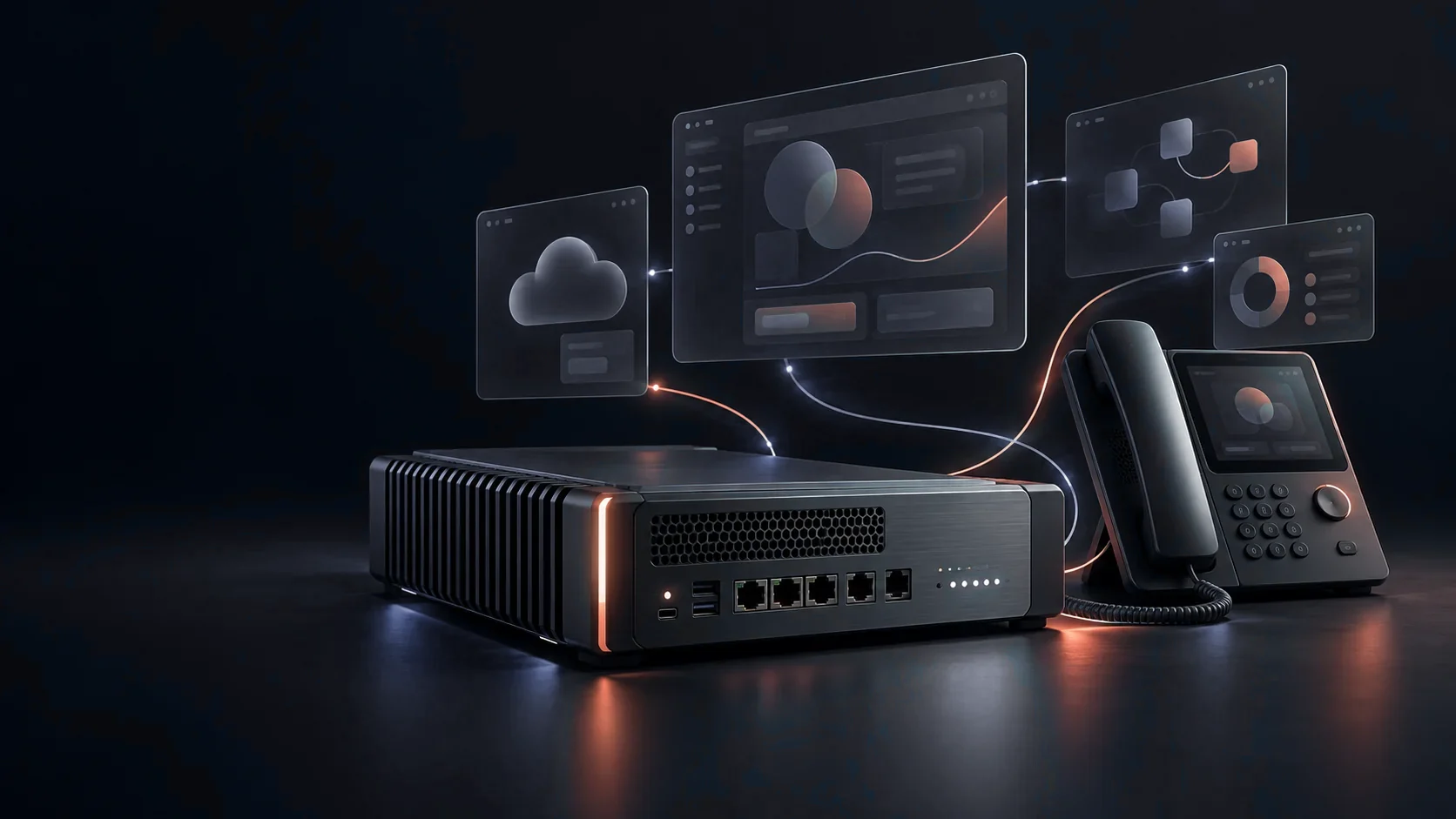
Fig. 01 — Illustrative concept · equipment selected for your project
$199/ site / month
$299/ site / month
Month to month · cancel any timeManage or cancel Terms
$499one time
$149/ month
$249/ month
Founding 10: the first 10 businesses skip the $499 setup fee and get 6 months of Website Care free
Start your Founding 10 website See plansA day with UrbanBytez · 32 sec
The network, the phones and the work behind them, from the first install to your phone at day’s end.
Three ways we help — keep your people connected, give your process a proper tool, and build your next chapter on the right foundation.
One team. One site. Or your next chapter.
Starting fresh? Bring the idea. We can bring the hardware, too.
Servers, network hardware, phones and other equipment — sourced for your project, or your existing kit assessed.
Business voice, custom networks and purpose-built apps, configured around how your team works.
Designed, built and tested together, then handed over with documentation.
Made to work together — from one desk to multiple locations.
A phone system that routes the call. A network that separates office, guest and device traffic. The right foundation for the everyday.
Explore voice & networks ApplicationsMove beyond the spreadsheet shuffle. Connect incoming requests, decisions and next steps in an application shaped around your team.
Explore custom applications InfrastructureA new office, your first server or a wider rollout. Bring the pieces together with equipment, configuration and a clear operating plan.
Explore infrastructureStart with what needs to work better. Each of these is something we build — and run for ourselves every day.
Meet Forge Voice
A business phone system built around how your team works.
From one desk to multiple locations. We plan your call routing, source the equipment, configure the system and test it with you.
Customer callsFront deskRight department
Give callers a welcoming front desk, then connect them to the right department.
Equipment, setup and recurring services clearly itemized. Hosted or on-premises
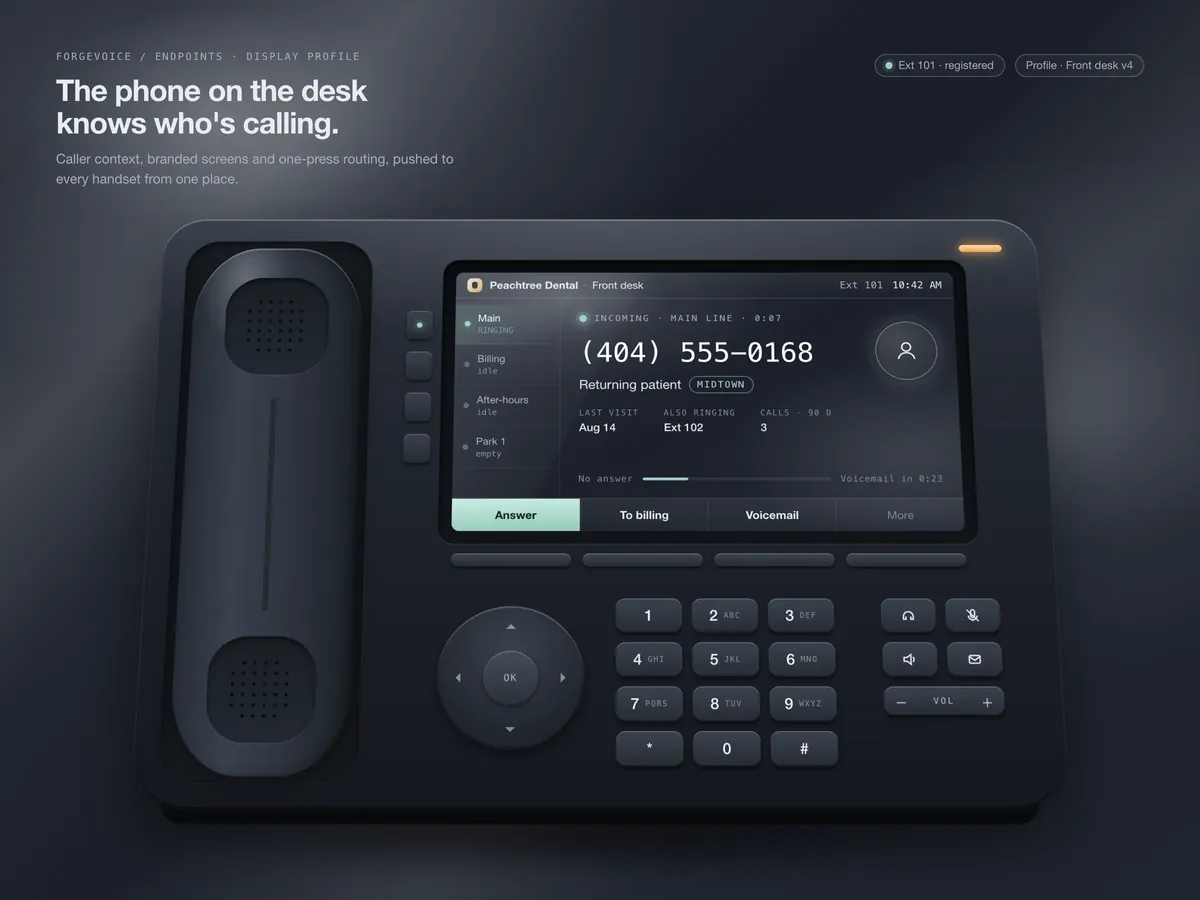
01A desk phone that greets your callers your way. Your menu, your names, your display.
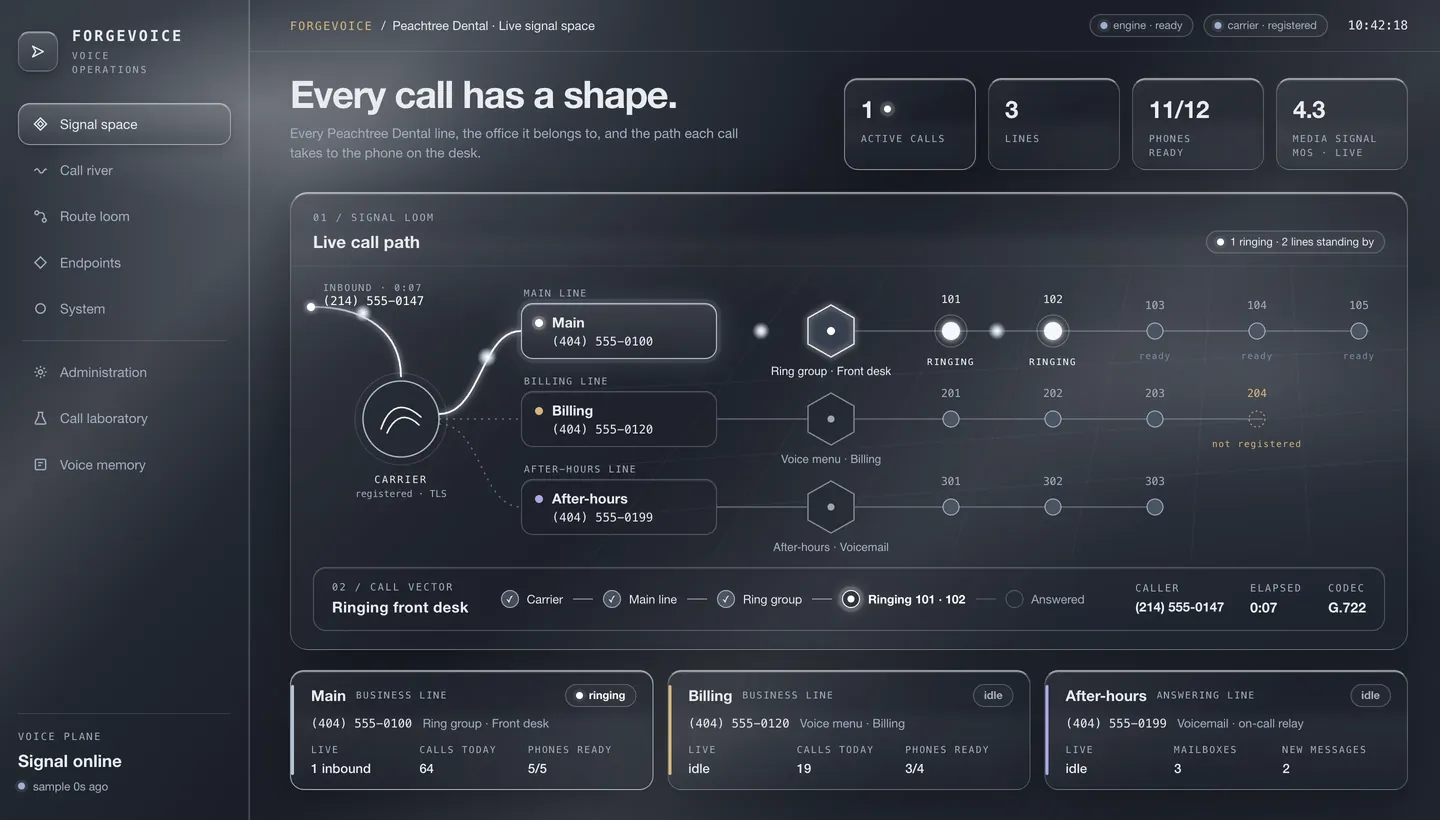
02Every line, the route it takes and the phone it reaches — in one calm view.
Illustrative · sample dataSecurity / ForgeSentinel
ForgeSentinel is a working in-house security demonstration, not a generally available managed-security service. The current Linux and firewall workflow shows detected cases, their evidence and their disposition; customer onboarding, response scope and reporting remain founding-pilot acceptance items.
Demonstration and founding-interest conversations only; no paid ForgeSentinel enrollment is currently offered. Current demo · Linux + firewall evidence
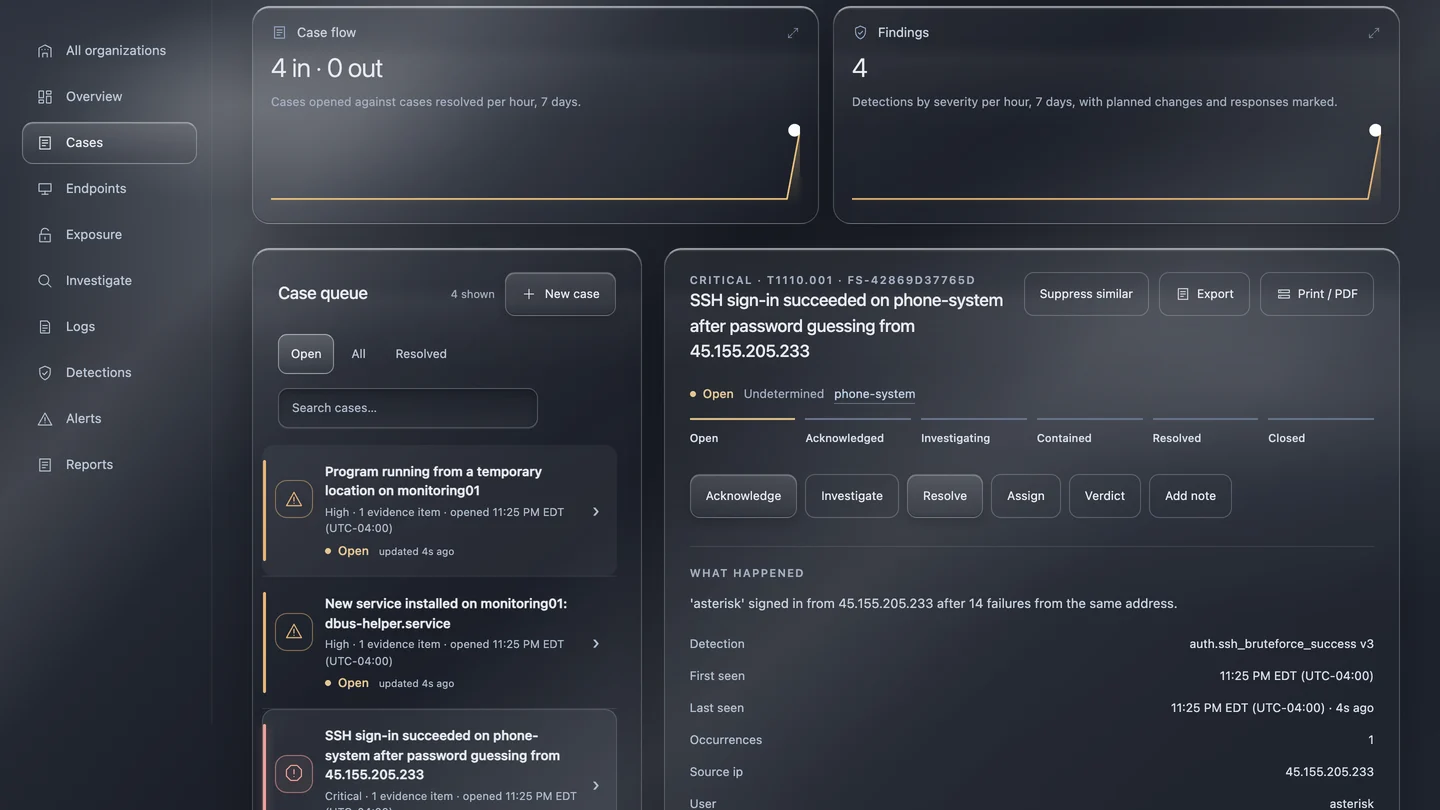
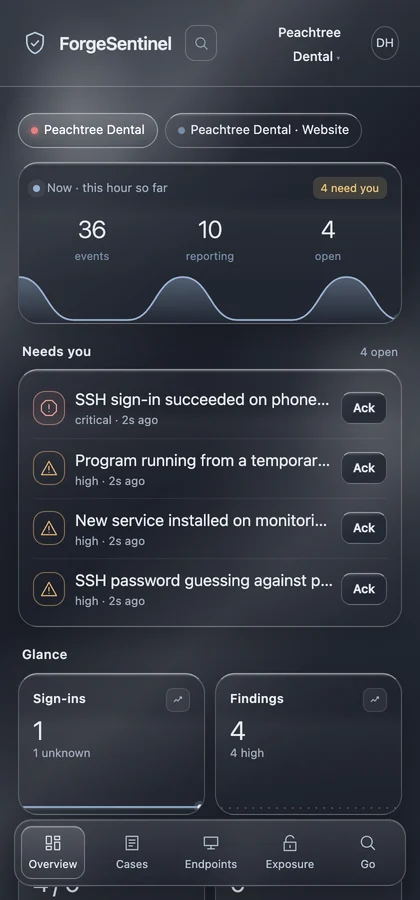
01Every case, from detected to resolved.
02Acknowledge and resolve, from your phone.
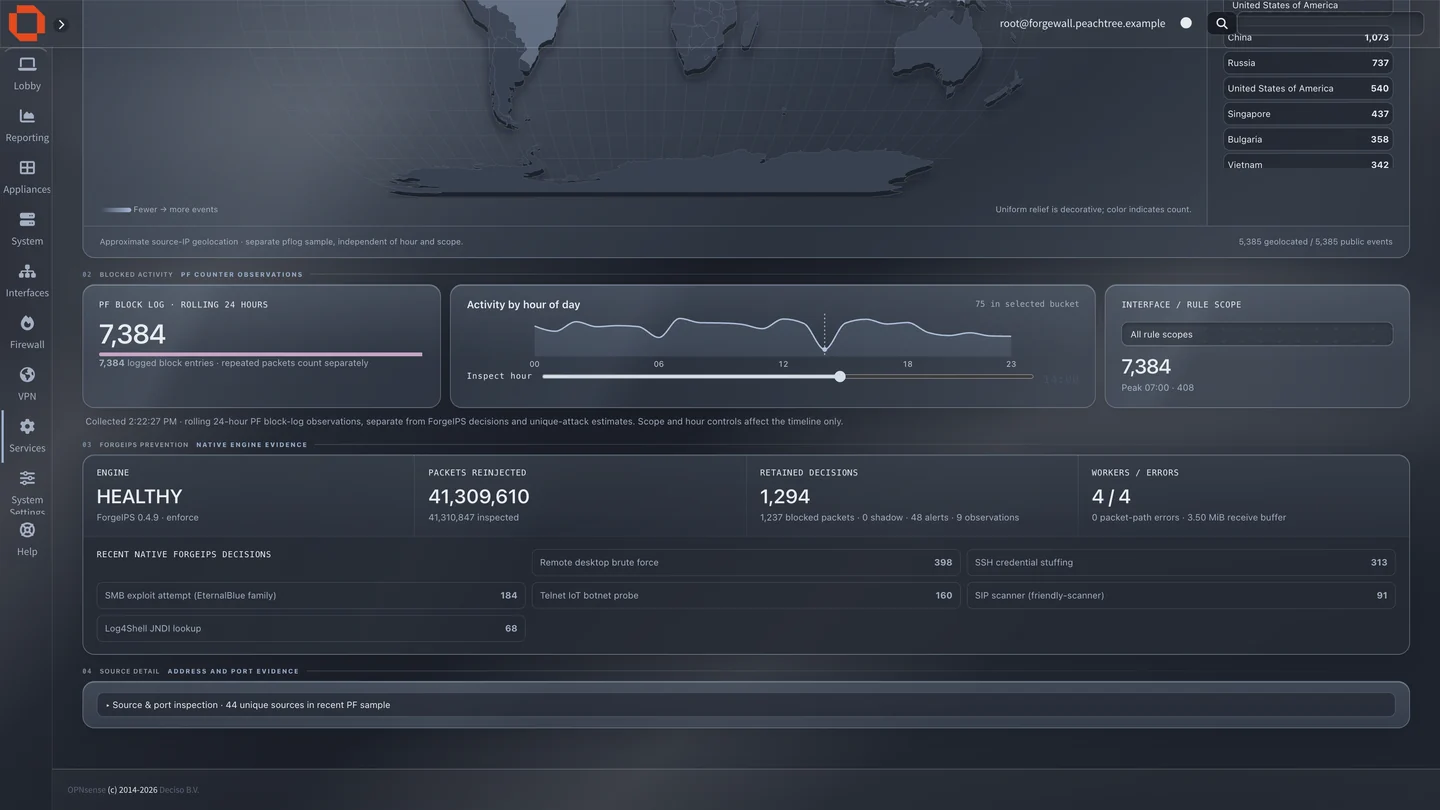
Illustrative · sample dataFirewall / ForgeWall
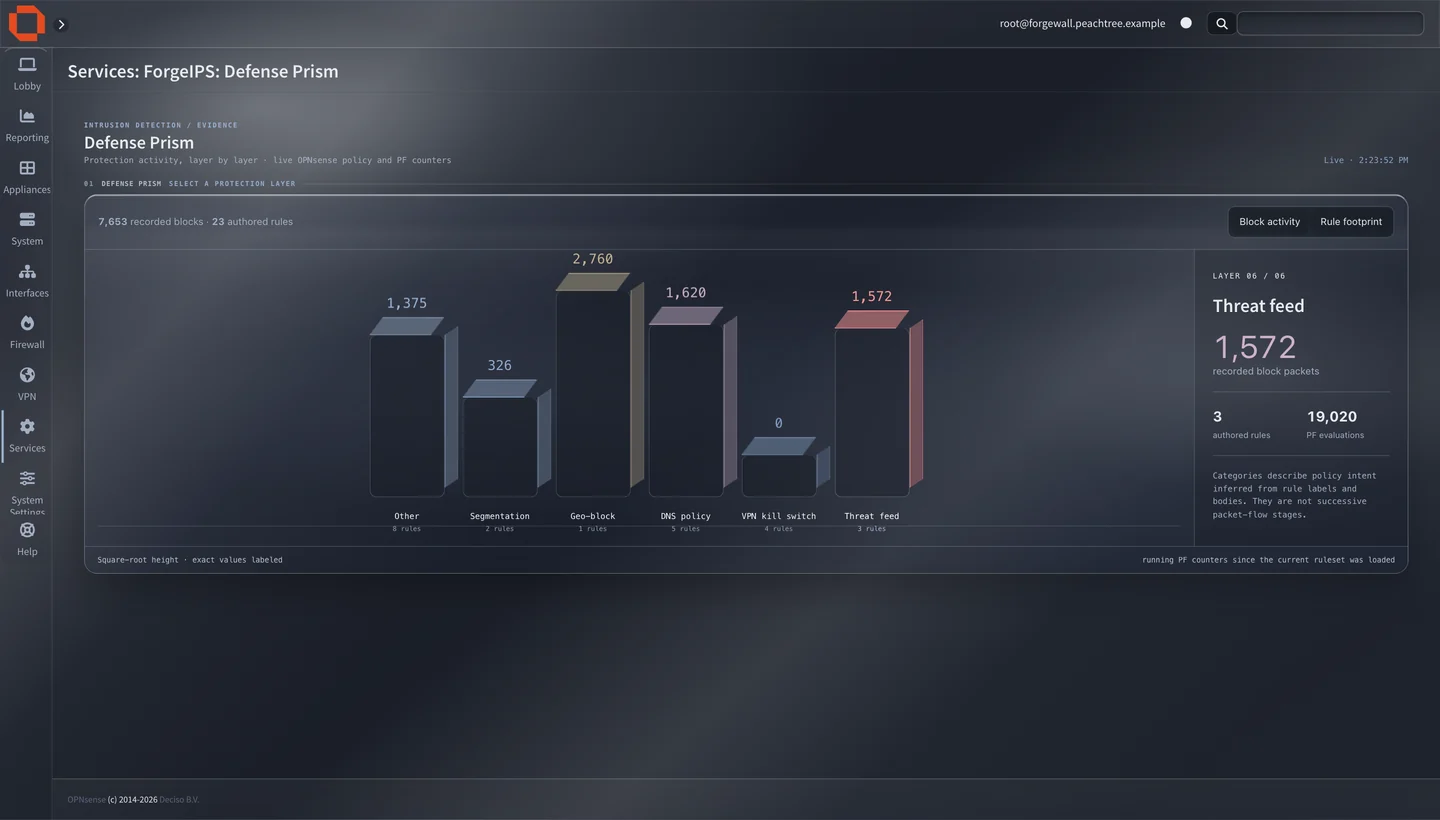
Blocked sources by country, and the protection layer that stopped each one — segmentation, geo-blocking, DNS policy and threat feeds — in plain view.
Firewall rules and segmented networks, so guests stay separate and office devices share approved business resources.
Built on OPNsense®, the open-source firewall, then hardened, managed and monitored by us, with our own Forge Shield app and dashboards on top.
Reverse proxies, outbound access controls and hosting — read more
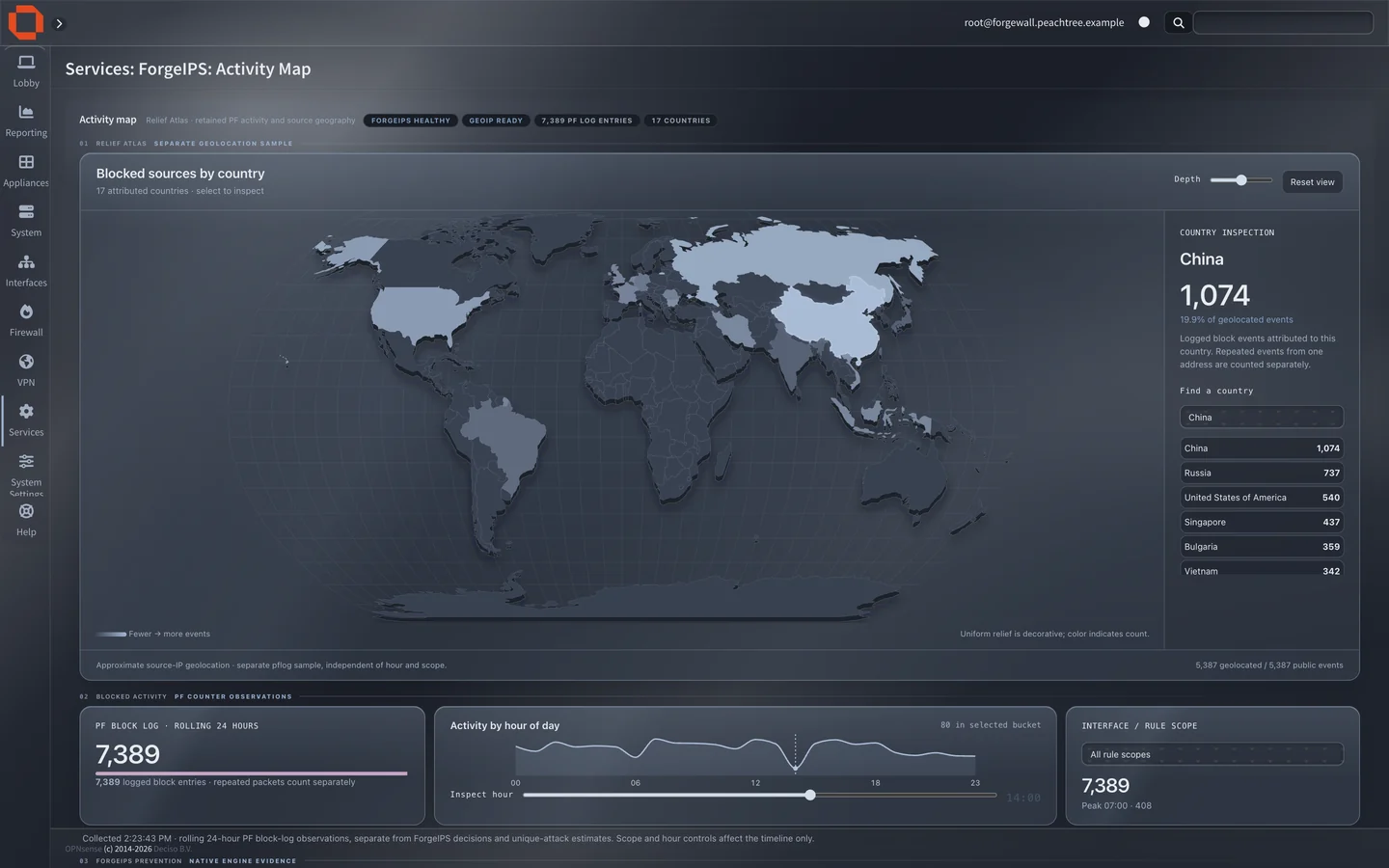
Activity mapWhere unwanted traffic comes from, country by country.
Defense PrismWhich layer did the work — rules, feeds and filters.
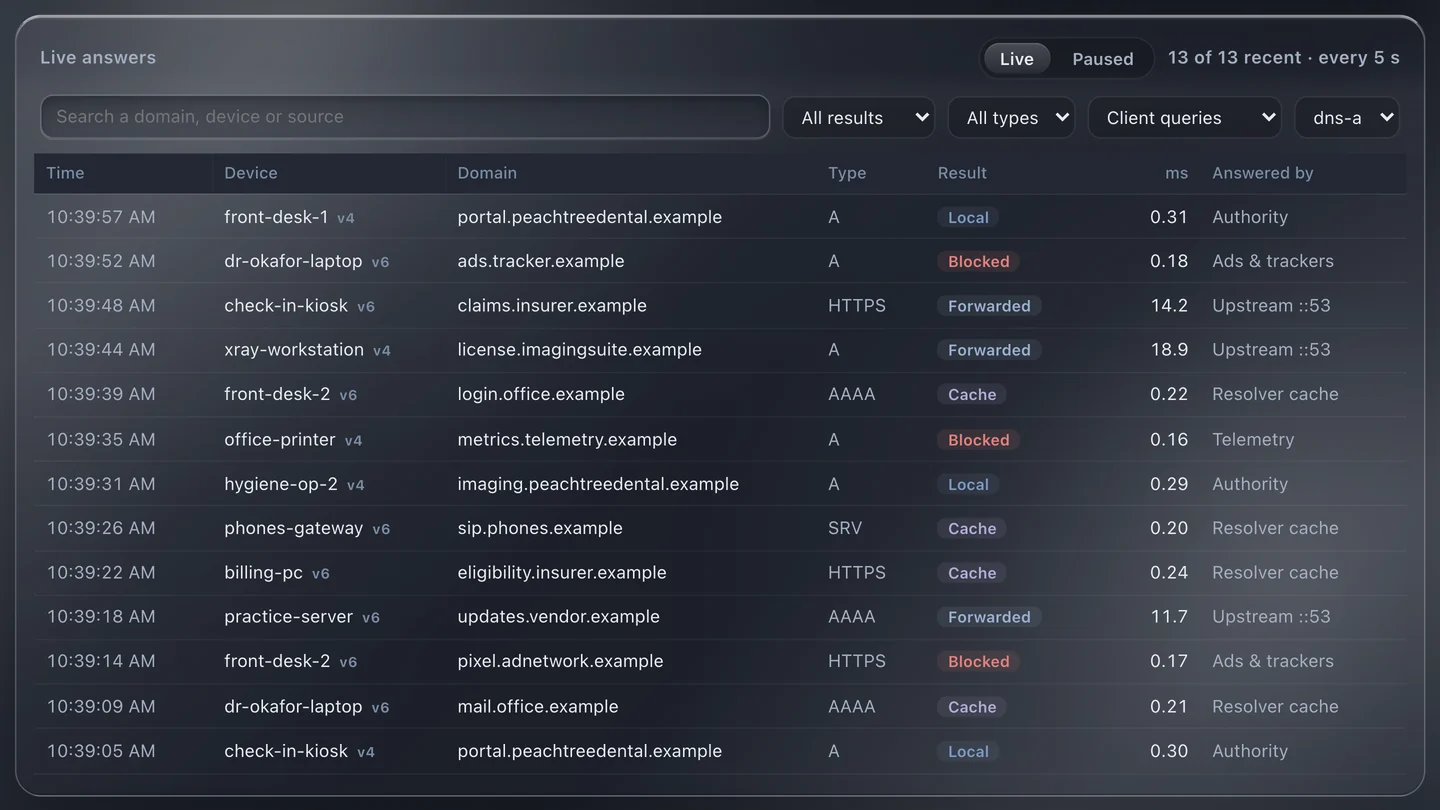
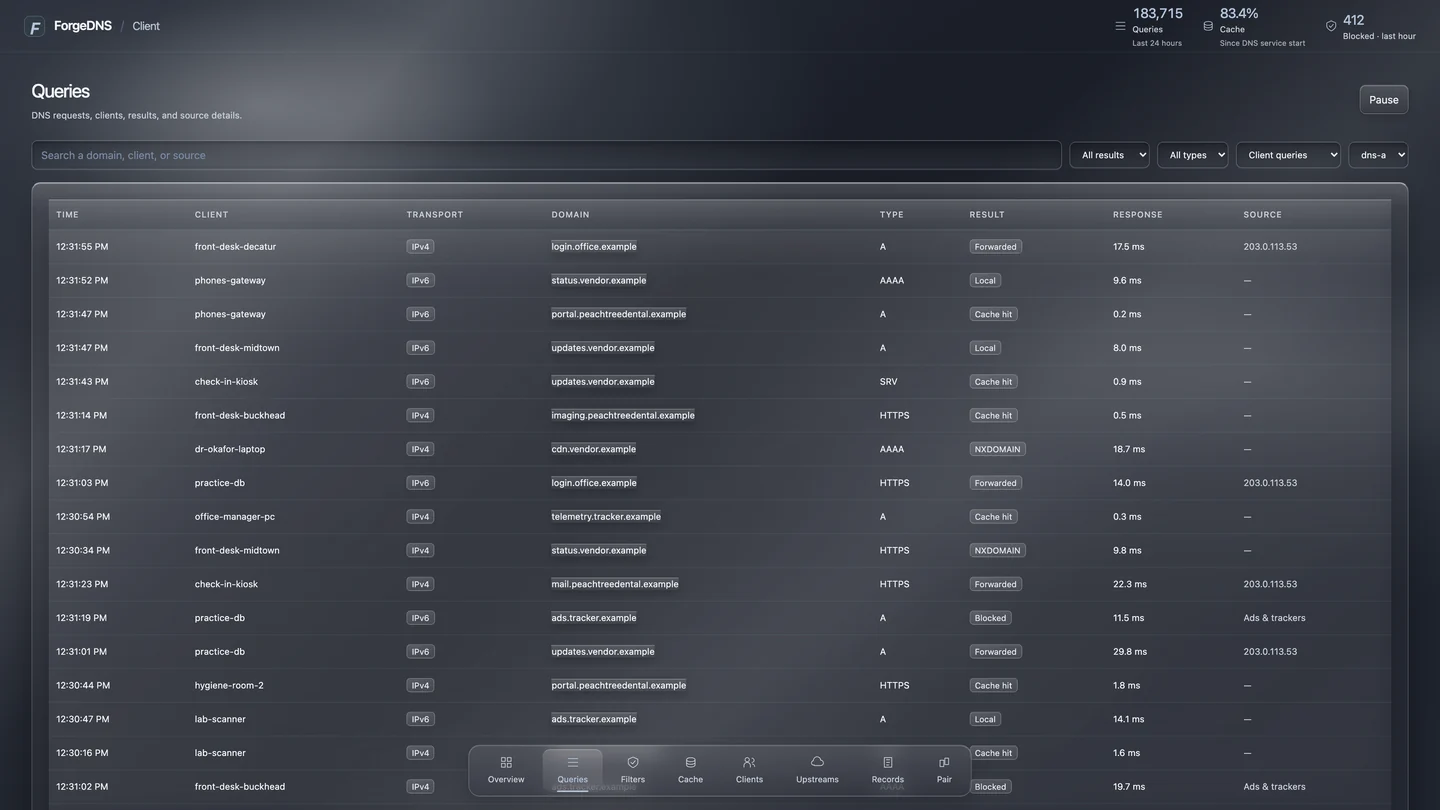
Illustrative · sample dataCustom DNS / your network’s address book
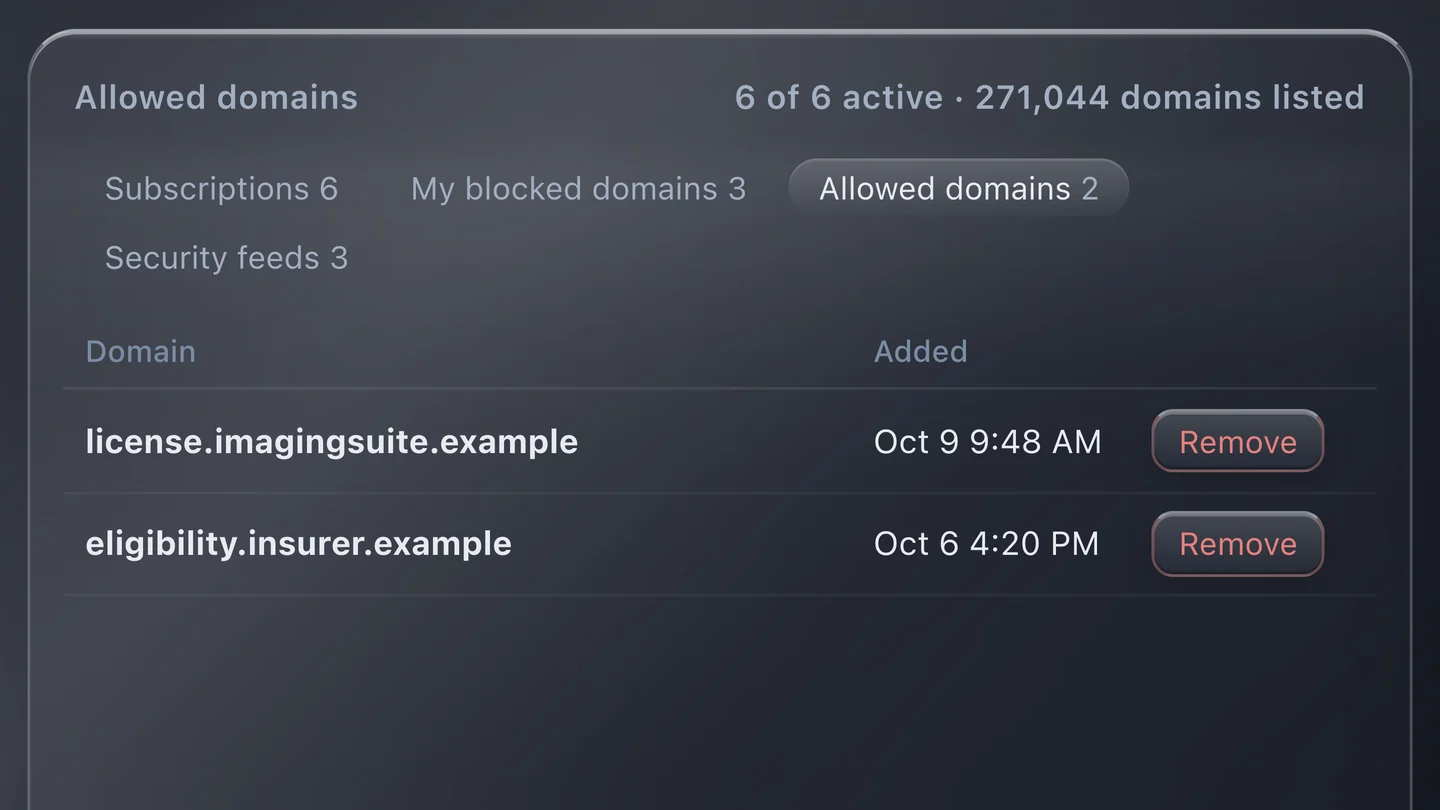
We run your DNS and curate your blocklist. Want something else kept off your network? Block whatever your business wants — we’ll help you set it up.
Fewer unwanted requests, quicker repeat lookups and useful visibility — with approved exceptions when a business tool needs one.
Records we set up, caching and logging choices — read more
Sample names use the reserved .example domain. DNS filtering targets domains; some in-app and first-party ads will remain, and it does not replace device security.
Custom applications / the possibility studio
The task you repeat. The update you chase. The idea you keep putting off. Explore what a tool built around your business could look like.
Start with a possibilityThese are possibilities, not a fixed catalog. Your idea can be different.
For contractors, repair shops & field teams · illustrative interface, fictional data
Try the next step. See an approval become a scheduled job.
For service businesses, studios & client teams · illustrative interface, fictional data
Try the next step. Give a customer a clear path to their appointment.
For businesses where the phone brings opportunity · illustrative interface, fictional data
Try the next step. Keep a missed call connected to a person and an action.
For owners, operations teams & multiple locations · illustrative interface, fictional data
Try the next step. Go from a headline number to the work behind it.
Each request can have a next step, a responsible person and a history.Site manager assigned. Review step added. The history stays with the request.
For teams outgrowing shared files & manual reminders · illustrative interface, fictional data
Try the next step. Turn a row into work your team can follow.
Illustrative interfaces with fictional data. Demo actions stay on this page; no calls, bookings or messages are sent. We agree on features, integrations, permissions and costs before building your application.
Custom apps / desk to doorstep
We build Android-compatible custom applications for phones and tablets, plus browser-based tools for your team and customers. Think site checklists, job photos, inventory lookups, appointment tools and customer sign-offs.
You own the agreed publishing and service accounts. Device compatibility, distribution, source-code handover, hosting and platform fees are set out in the proposal. Ongoing maintenance is available under a separately priced plan.
For native iPhone and iPad distribution through the standard Apple Developer Program, Apple currently charges US$99 per membership year, or local currency where available. We recommend a customer-owned publishing account: you pay Apple directly and control renewal; UrbanBytez’s development fee is separate.
If that standard membership expires, Apple says apps already installed continue to function, but new downloads and app updates become unavailable. That is not a promise of indefinite compatibility: hosting, connected services and future operating-system updates still need an agreed plan. Other distribution methods have different requirements.
We quote the app build, distribution setup, platform fees, hosting and any ongoing maintenance separately. Your proposal defines source-code handover, account ownership and support responsibilities.
Sized to your users, sites, call capacity and equipment. A focused setup with a clear path to grow. We confirm the scope before you commit.
A complete business phone system, supplied and configured around the way your team communicates. A standalone PBX or part of your wider technology setup.
Choose a route to see a sample call reach the right team. No real call is placed.
Select a segment. Office devices share approved business resources; guests stay separate. All activity shown is illustrative.
Bring the request and its context together.
UBReady for reviewAssign a next step and agree on the scope.
UBOwned and organizedOne brief. A clear plan. Everyone aligned.
UBReady for actionA sample request has arrived. Advance it to see how a custom workflow creates a clear next step. No data is submitted.
On-premises example: equipment is sourced, configured and installed for your site. Hardware, resilience and support are scoped together.
PEOPLE, CONNECTED · Illustrative interaction · no live systems
DNS & DHCP/VPNs & segmentation/Traffic shaping & QoS/Mail systems/Workflow automation
The Forge family
Every tool on this page is our own. We build it, run it on our own systems first, then shape it around your business.
A working security-operations demonstration for founding-interest conversations.
Every line, the route it takes and the phone it reaches — in one calm view.
See who knocks, and what stopped them.
Names you remember. Lookups you can understand.
Our own working security demonstration: the current Linux and firewall workflow shows cases, evidence and recorded disposition in our environment.
A business phone system built around how your team works.
Firewall rules and segmented networks, so guests stay separate and office devices share approved business resources.
We run your DNS and curate your blocklist.
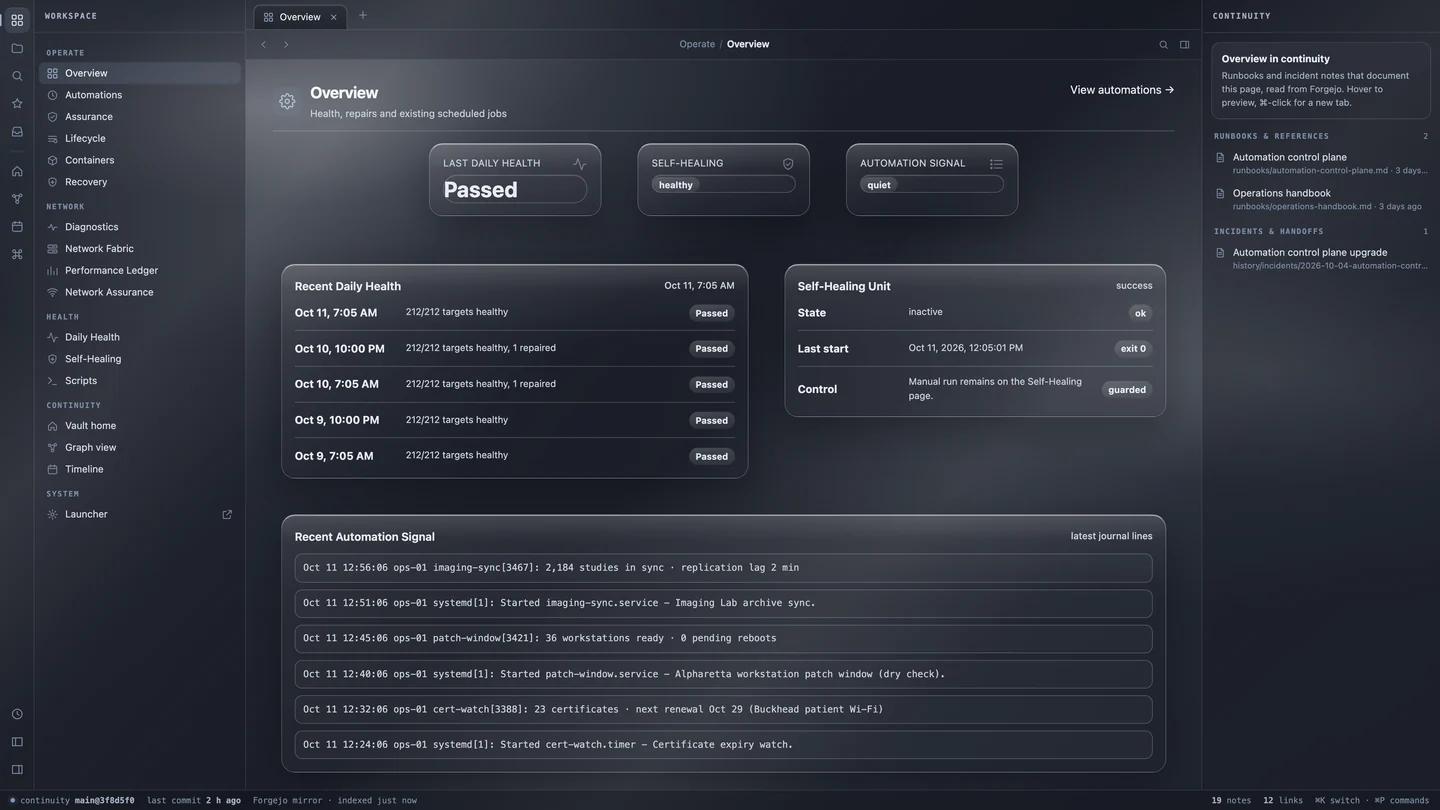
Quietly maintained, while you sleep.
After hours and overflow calls answered, in English and Spanish.
Sales, traffic and what needs you, at a glance.
Your network, in your pocket.
Backups verified, certificates renewed, blocklists refreshed — on schedule, with every run recorded. It’s how we run our own systems.
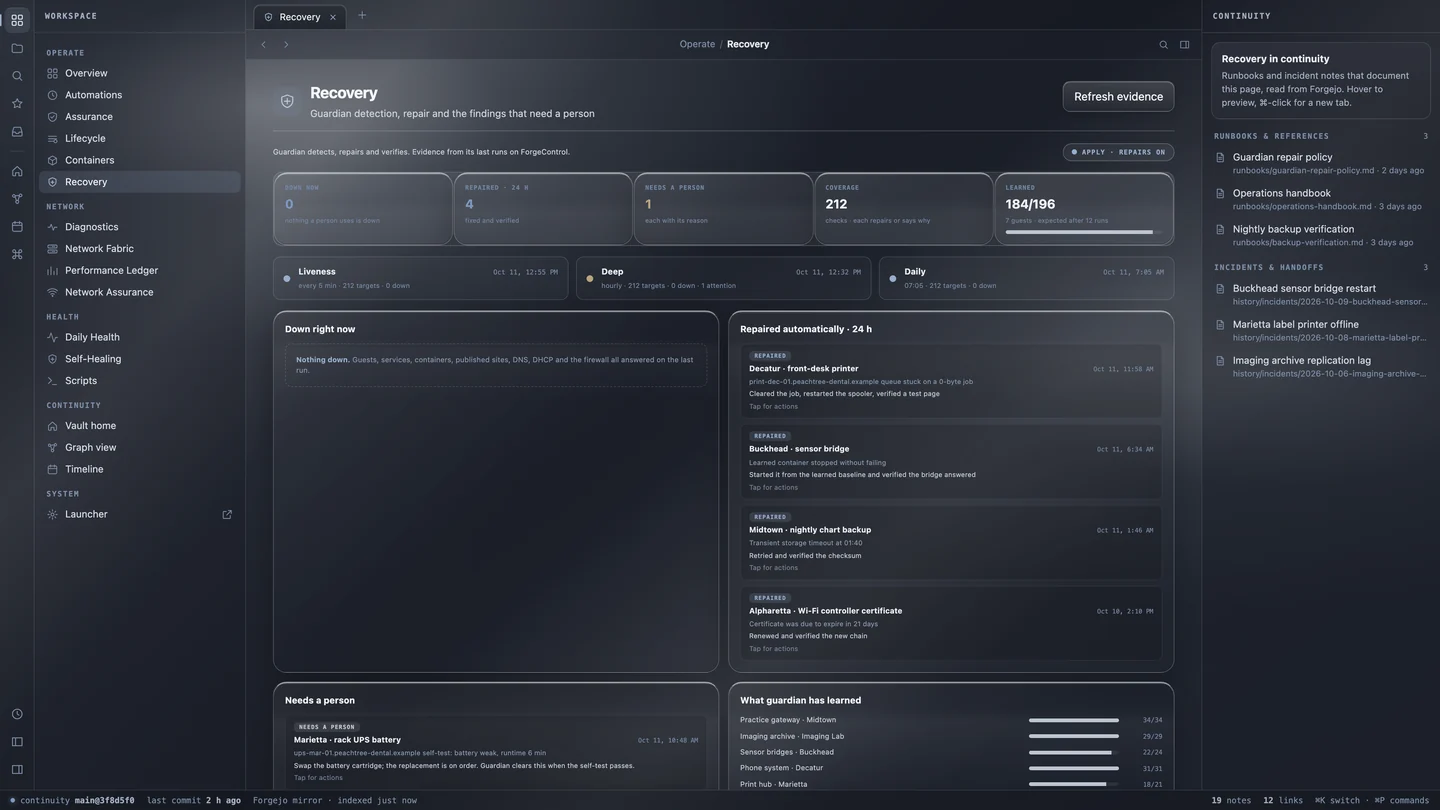
An AI receptionist for after hours and overflow: your answers, lead capture, emergencies sent straight to your on-call person, and a summary of every call.
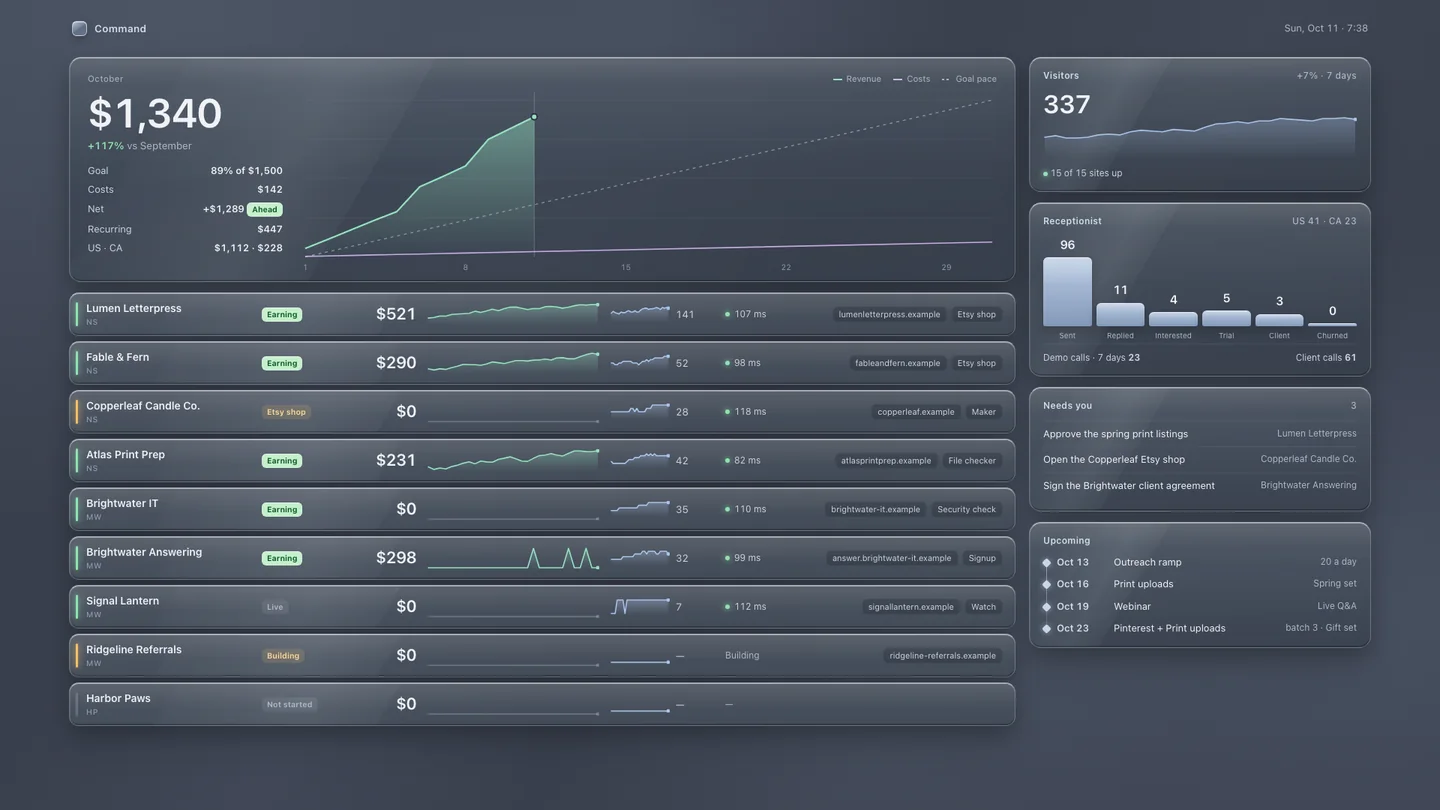
One screen for the whole business: each site and storefront, its sales and traffic, and the short list of what needs you today.
We carry ours everywhere. Control and monitor your network from your phone the same way.
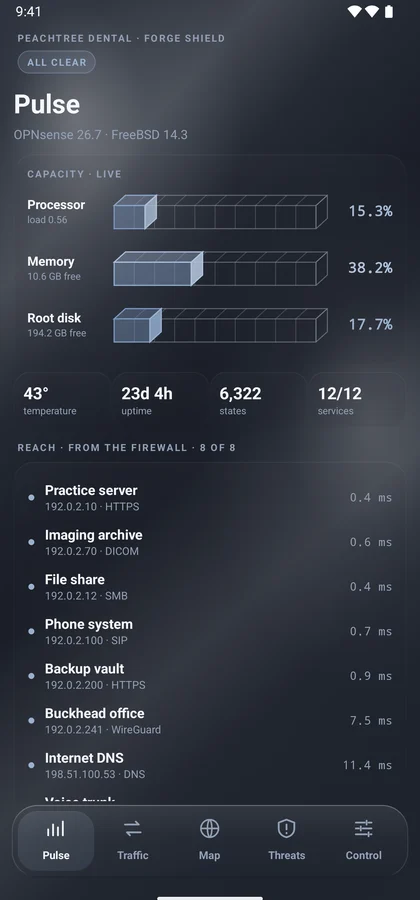
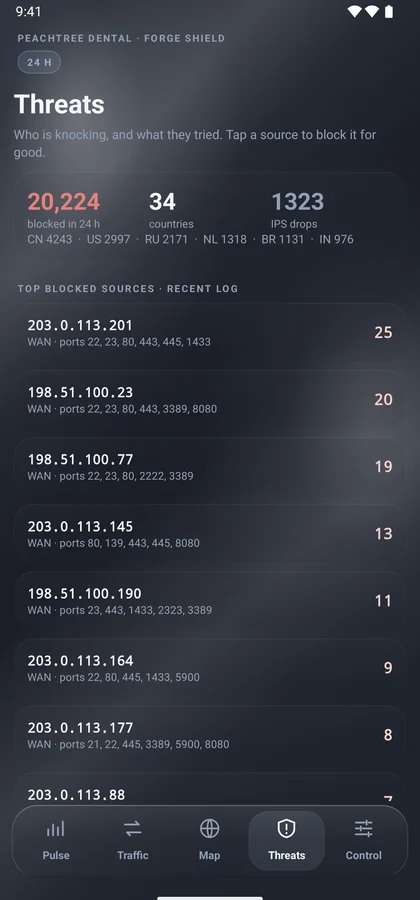
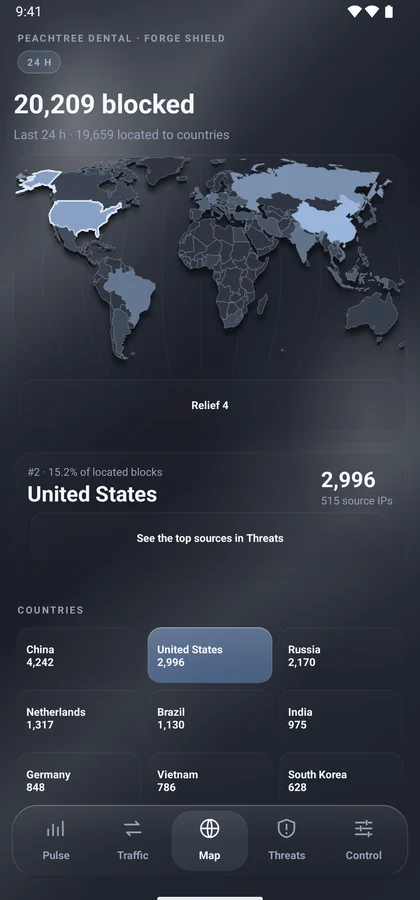
We carry ours everywhere. It's how we watch over our own systems, at the office, at home and on the road. Control and monitor your network from your phone the same way. Add our optional always-on VPN and your phone stays securely connected wherever you are, just as if you were at your desk.
Watch the film and try the live map
Built for Android. The companion app shown here runs on Android phones and tablets. Android apps carry no yearly platform fee: we can deliver them privately to your team's devices, or publish to Google Play for a one-time US$25 registration. iPhone and iPad versions are available by proposal; Apple's developer program costs US$99 a year, paid to Apple from an account you own.
Illustrative · sample dataThe network UrbanBytez runs on: OPNsense, configured and maintained by us. No client names and no client data. This one is ours.
Infrastructure, DNS, work, home, streaming, smart devices and Wi-Fi each sit on their own VLAN. Firewall rules decide what may cross between them.
Laptops and phones connect back through WireGuard on the firewall. Our phones switch it on by themselves when they leave our Wi-Fi.
When the built-in shaper did not enforce our upload limits, we wrote our own on FreeBSD netgraph. A watchdog keeps it running.
How we work and look after you
You don’t need to arrive with a specification or a room full of equipment. We’ll work through the right next step together.
Tell us what you’re building, what’s getting in the way and what a better day would look like.
We scope the solution and itemize equipment, implementation and recurring services before work starts.
We source, configure and build, then test your everyday workflows and hand over the documentation.
Backups verified, certificates renewed, blocklists refreshed — on schedule, with every run recorded. It’s how we run our own systems.
Choose the handover and help that suit your team. Start with a preference; we’ll agree on the scope, access and price in your proposal.
Ongoing maintenance for your systems is agreed in a separate support plan.
Built around your project. Quoted for your destination. For U.S. projects, equipment is quoted only after the exact model, stock, shipping, taxes, carrier services and location-specific requirements are confirmed. Canadian equipment delivery is planned for a later expansion and is not currently offered.
Account ownership, documentation, warranty responsibilities and any ongoing support are agreed in your proposal.
Check two things that quietly matter to every small business — before you talk to anyone.
Test your SPF, DKIM, DMARC, MX, MTA-STS, TLS-RPT, DNSSEC and CAA records and get a plain-English grade with clear fixes.
Answer a few questions about your lines in Georgia, Texas or elsewhere, then print a prioritized migration checklist with who to call.
Defined projects. Understandable pricing. Your written proposal sets the final scope, equipment and investment.
$295
A focused discovery session, a review of your priorities and a written recommendation for your next step.
A standalone PBX with phones, call routing, voicemail and an agreed handover. Hosted or on-site options.
Firewall and network design, configuration and implementation for an agreed, bounded scope.
A custom application or automation that solves one clearly defined operational problem.
Hardware, implementation and recurring services are itemized separately. Phased projects and milestone billing can be proposed where suitable. Third-party equipment financing is being evaluated and is not currently offered. Inquiring is free.
You don’t need a finished brief. Tell us what you want to improve, what’s getting in the way or what you’re ready to build.
Straight answers to the things people ask first. Something else on your mind? Just ask.
Ask us anythingNo. We can source the servers, network hardware, phones and other equipment your project needs. You can also bring existing equipment for us to assess. Purchases and recurring services are itemized in your proposal.
Yes. A standalone business PBX can be a complete project of its own. Handsets, extensions, routing, voicemail, carrier setup and hosted or on-premises options are scoped together around how your team handles calls.
We welcome the conversation. Larger environments begin with discovery and a scoped architecture. Site count, capacity, resilience and performance acceptance are agreed before implementation.
A focused discovery session, a review of your technology priorities and a written recommendation for your next step. We confirm the assessment scope before booking. Implementation, equipment and ongoing support are separate.
We test the agreed workflows and provide a useful handover. Your proposal defines documentation, defect correction and any ongoing support. Equipment warranties depend on the manufacturer and product. Ongoing care is available as a monthly care plan from $199 per site.
For an existing project or scheduling, email support@urbanbytezllc.com.